Why HDR Ghosts Appear and How to Prevent Them
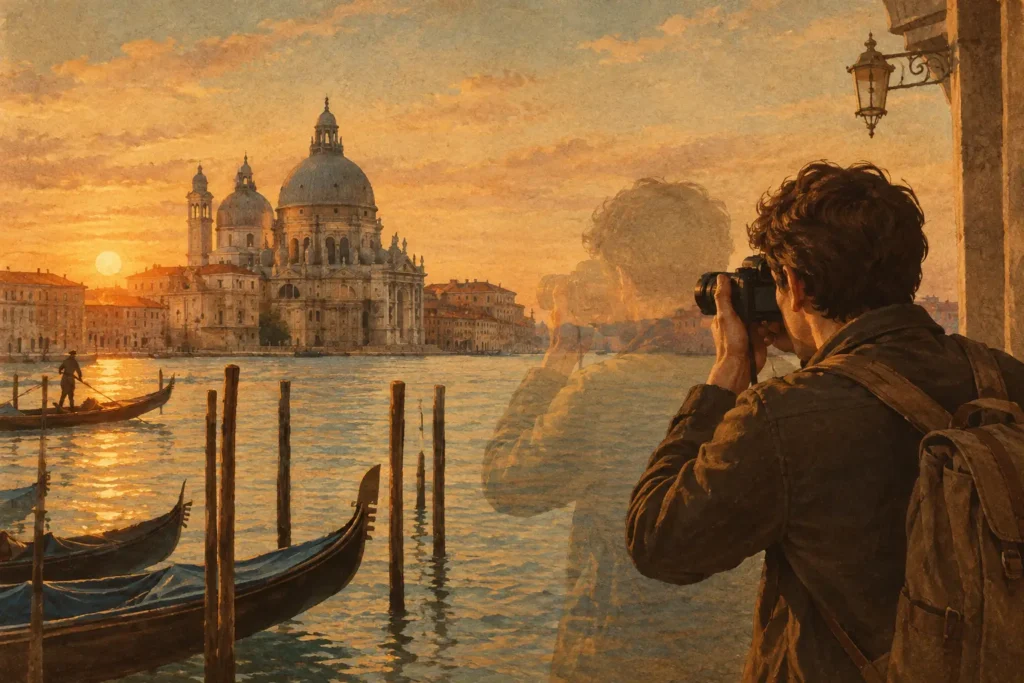
A window view can be perfectly exposed in one frame while the room is properly exposed in another. That is exactly why photographers shoot brackets. But if a person walks through the room, leaves move outside, or you shift the camera between frames, the final merge can show a doubled subject, a blurry edge, or a strange transparent shape. Why HDR ghosts appear comes down to one simple problem: the scene did not stay identical across the bracketed exposures.
HDR software is designed to combine the best highlight, midtone, and shadow information from several photos. It expects corresponding pixels to represent the same thing. When they do not, the merge has to decide which version of that pixel belongs in the final image. Ghosting is the visible evidence of that decision going wrong, or of a setting that is not strong enough for the amount of movement in the scene.
Why HDR Ghosts Happen in Bracketed Photos
An exposure-bracketing set is captured over time, even when that time is only a fraction of a second. A 3-, 5-, or 7-frame AEB sequence records separate images at different exposure values. Static architecture, distant mountains, and a tripod-mounted camera usually give the merge plenty of matching detail. Movement changes the equation.
The most obvious cause is a moving subject. People walking through an interior, cars on a street, boats on water, birds, waves, tree branches, and flags can occupy different positions in each frame. If HDR software blends all versions together, the result can look like multiple semi-transparent copies of the subject.
Camera movement creates a related but different issue. Handheld brackets may be shifted or slightly rotated from one image to the next. Good automatic alignment corrects much of this by matching fixed details in the scene. It can line up a building edge or window frame, but it cannot make a moving car occupy the same place in every exposure.
Changing light can also create localized ghosting. Clouds passing over the sun, flickering artificial light, television screens, and water reflections can look different from frame to frame. The result may not be a recognizable double image. Instead, you may see soft patches, halos, mottled skies, or an unnatural texture in a reflective surface.
Alignment Fixes Camera Shift, Not Subject Motion
It helps to separate alignment from deghosting because they solve different problems. Alignment corrects for movement of the camera. Deghosting handles movement within the scene.
If you handhold a bracketed sequence and the entire image is a few pixels off between frames, alignment is the first requirement. Without it, every edge can look soft or doubled. If the camera position changes too much, especially with nearby foreground objects, even strong alignment can struggle because parallax changes the relationship between near and distant details.
Deghosting comes after the frames are aligned. Rather than averaging every changing pixel, the software identifies regions that differ across exposures and uses one frame as the reference for those areas. A moving person should appear once, not as several overlapping versions. The rest of the image can still benefit from the wider dynamic range of the bracket set.
That approach involves a trade-off. Stronger deghosting is useful when movement is obvious, but it may preserve more pixels from a single exposure in the affected region. A shadow area containing a moving branch, for example, may retain less recovered shadow detail than a fully blended static area. That is normally the right compromise: a clean, believable branch is better than a bright but doubled one.
The Type of Motion Determines the Right Deghosting Level
Not every scene needs aggressive correction. Applying more deghosting than necessary can make a merge less consistent around fine textures, especially in foliage, water, or detailed architecture. Start with the amount of correction that matches the scene.
For a mostly still landscape with slight leaf movement, a low deghosting level is often enough. It protects small moving areas without treating half the frame as unstable. For a real-estate interior with a person near a window, a medium or high setting may be the better choice. The room and view remain merged for dynamic range, while the person is taken from a single frame.
Very high deghosting is best reserved for scenes with clear, substantial motion: traffic, active crowds, rough surf, close foliage in wind, or a handheld sequence where movement combines with shifting subjects. Inspect the final image at full size. Look closely at subject edges, railings, tree branches, window frames, and reflections. These are where poor deghosting decisions are easiest to spot.
The reference exposure matters, too. If a moving subject is sharply defined in one exposure but clipped or underexposed in another, the cleanest result may depend on which frame the software uses for that area. A dark-clothed person in a bright doorway and a white car in deep shade are both difficult cases. There is no setting that can recover detail that was never captured cleanly in at least one frame.
How to Reduce HDR Ghosting Before You Merge
The fastest HDR workflow begins in the field. Deghosting is valuable, but a clean bracket set gives it less work to do.
Use the shortest bracket sequence your scene allows. Three frames are often enough for moderate contrast, and they finish faster than five or seven frames. More frames can capture a broader range of light, but they also extend the capture time and increase the chance that something moves. For an interior with bright windows, five or seven exposures may still be worth it. For a breezy overlook, three quick exposures may produce the better final image.
Hold the camera steady, brace against a wall when possible, and use a tripod for architecture or long exposures. If you are shooting handheld, use a shutter speed that keeps the base exposure sharp. Alignment can correct small shifts, but it cannot restore motion blur from a slow shutter.
Watch the parts of the scene that are likely to move before you trigger AEB. Wait for pedestrians to leave a doorway. Shoot between gusts when branches are close to the lens. For a water scene, decide whether motion is part of the look. Smooth water may merge well if it is blurred consistently in each frame, while individual ripples and boats often need stronger deghosting.
When people or vehicles are unavoidable, try to place them where a single, clean exposure will work acceptably. HDR does not require every part of the image to use information from every frame. A well-exposed moving subject can be preserved from one frame while windows, skies, and shadows benefit from the full bracket set.
A Faster Way to Check Problem Brackets
Manual sorting makes ghosting harder to diagnose because it separates capture from processing. You first have to find the related frames, then verify their order, then test a merge. An EXIF-based workflow keeps each AEB set together, so you can move directly from detection to the decisions that matter: alignment, deghosting, tone mapping, and export.
MergeHDR automatically identifies 3-, 5-, and 7-frame bracket sets in your Apple photo library, aligns the frames, and provides four deghosting levels. That makes it practical to compare a lighter correction with a stronger one without rebuilding a stack or sending sensitive photos to a remote service. Nothing uploads. Processing stays on your device, and the finished HDR image is ready for your library in seconds.
When comparing results, do not judge only the overall brightness. Zoom into the areas that moved. If stronger deghosting removes a double edge but creates a noticeably dark patch, try the next lower level and assess which artifact is less distracting. A natural tone-mapping choice can also help here, because exaggerated local contrast tends to make minor merging errors more visible.
When Ghosting Is Not an HDR Problem
Some artifacts resemble ghosts but have another cause. A bright halo around a roofline may come from aggressive tone mapping rather than motion. A soft tree can be ordinary wind blur in every individual exposure. Repeating patterns on brick, shutters, or fences can confuse alignment even in a still scene. Lens flare may shift between frames and leave a strange blended shape that deghosting cannot fully remove.
Check the original bracket frames before assuming the merge failed. If the subject is blurred or clipped in every source image, the fix belongs at capture. If it is sharp in one frame and doubled only in the final HDR image, use alignment and deghosting controls. That quick distinction prevents wasted brackets and makes your next merge more predictable.
A clean HDR image does not require a motionless world. It requires choosing the right bracket length, capturing one usable version of moving details, and giving the merge a clear instruction about what should stay single.
Let MergeHDR find your brackets.
MergeHDR detects exposure brackets in your photo library and merges them into HDR photos on-device — keeping every edit, album, favorite, and location. No account; free to try, with unlimited saves for $19.99 once or $9.99/year on iPhone, iPad, and Mac.