Can HDR Align Handheld Brackets Accurately?
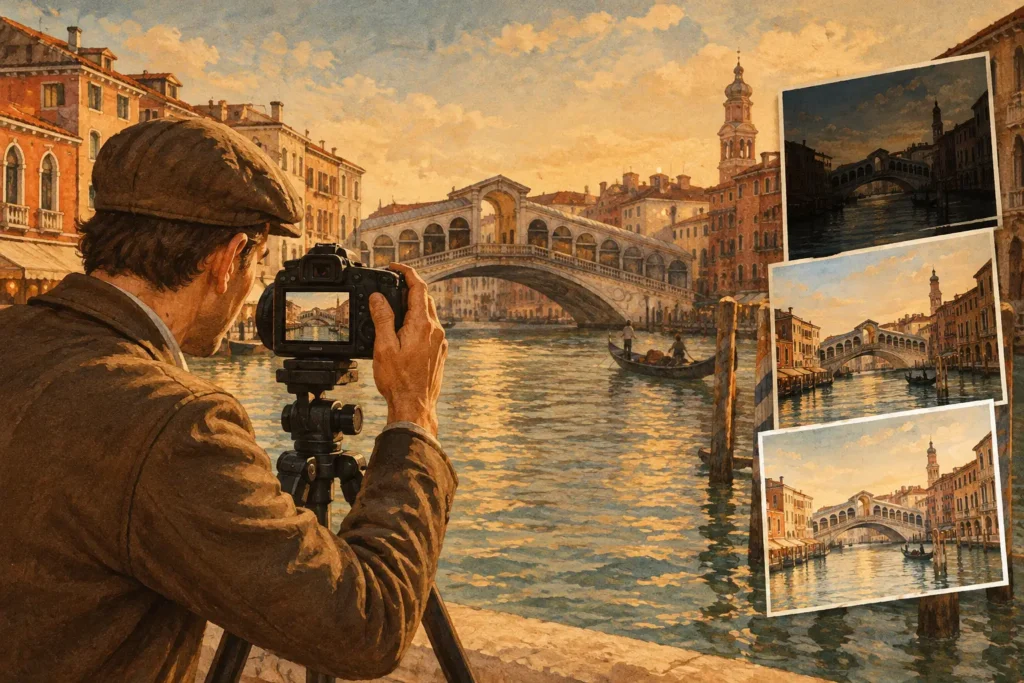
A window view, a dark interior, and a handheld camera create the question photographers ask after the brackets are already in the library: Can HDR align frames accurately enough to produce a clean final image? Usually, yes. But alignment is not magic. It corrects camera movement between exposures; it cannot make moving people, leaves, cars, or water behave like a still scene.
For travel, architecture, real-estate, and landscape work, that distinction matters. A good HDR merge needs each exposure to describe the same scene from nearly the same position. When the camera shifts slightly between a 3-, 5-, or 7-frame auto-exposure-bracketing set, alignment gives the merge a common reference. When the scene itself changes, deghosting must take over.
Can HDR Align Handheld Exposure Brackets?
HDR alignment analyzes the matching visual detail across bracketed frames, then shifts, rotates, and sometimes subtly warps the images so fixed objects overlap. Think of window frames, rooflines, countertops, door edges, buildings, rocks, and other stable features. The goal is simple: before combining highlight information from a darker frame with shadow information from a brighter frame, those details need to land in the same pixels.
A tripod remains the most reliable option for critical work, especially with long focal lengths, close foreground objects, or a seven-frame sequence. Still, handheld brackets often merge well when the frames are captured quickly and the photographer maintains a stable position. Modern auto exposure bracketing is fast enough that the camera may only move a small amount from one frame to the next.
The practical result is that a usable HDR workflow should not force you to discard every handheld sequence. It should recognize the bracket set, align the fixed scene, and show you whether motion needs additional cleanup.
What Alignment Can Fix
Alignment is designed for camera movement, not subject movement. It is particularly effective when the differences between frames come from small hand motion or minor camera vibration. Common examples include a handheld interior where the camera drifts slightly between exposures, a sunset landscape with a shifted horizon, or an exterior property image where straight architectural lines need to remain clean.
The best candidates have clear, stationary detail throughout the frame. Strong edges give alignment software useful reference points, which is one reason architecture and real estate brackets often respond well. A room with walls, cabinets, windows, and trim offers more stable geometry than a foggy field with little contrast.
Alignment also helps avoid a common HDR failure: double edges. Without correction, a shifted camera position can create faint duplicate window frames, halos along rooflines, or soft-looking detail in the final merge. Correct alignment lets the HDR process use more of the exposure range without turning fixed edges into a blur.
What Alignment Cannot Fix
If an object changes position between frames, no global alignment setting can make it stationary. A person walking through an interior, tree branches moving in wind, surf breaking on a shoreline, and vehicles crossing a street are all forms of ghosting. The exposures may align perfectly around the object, while the object itself appears in several locations.
That is why deghosting and alignment are separate controls. Alignment brings the camera views into register. Deghosting determines how the merge handles regions that differ from one exposure to another. In many cases, the software chooses a consistent source exposure for the moving area rather than blending conflicting detail together.
There is a trade-off. Stronger deghosting can produce a cleaner result when motion is obvious, but it may preserve more information from one frame instead of combining every tonal benefit from the full set. For a quiet room with a ceiling fan stopped, light deghosting may be enough. For foliage moving outside a bright window, a stronger setting is often the better choice.
Why Parallax Is the Hardest Problem
Small camera shifts are not always equal. When you move sideways rather than simply rotate the camera, near and far objects shift against each other at different rates. This is parallax, and it is the main reason a handheld HDR set can be harder to align than expected.
Picture an interior photographed near a doorway. The close edge of the doorframe may move significantly relative to distant windows across the room. The same problem appears when shooting through railings, branches, fences, or close foreground objects. A global correction can align the distant background or the near object very well, but not always both at once.
The practical fix starts at capture. Keep your feet planted, brace the camera, and avoid leaning sideways while the bracket sequence fires. If you are using an iPhone or iPad, hold the device firmly and let the sequence complete before changing position. For a camera workflow, use a tripod when precise foreground-to-background geometry is essential.
Capture Choices That Make HDR Alignment Better
You do not need a complicated checklist, but a few habits preserve more usable brackets. First, use auto exposure bracketing rather than changing exposure manually between frames. AEB keeps composition and focus more consistent while varying exposure values in a controlled sequence.
Second, keep the sequence short. Three exposures are often enough for a scene with manageable contrast, such as a shaded foreground under a bright but not clipped sky. Five or seven frames can be worthwhile for interiors with sunlit windows, deep shadows, or difficult architecture, but longer sequences increase the chance that something moves.
Third, watch shutter speed. A bright exposure can require a slower shutter speed, which makes both hand motion and moving subjects more visible. If the bright frame is too slow for handheld work, increase stability, adjust your capture settings, or use support. HDR can recover highlight and shadow range, but it cannot restore detail erased by motion blur.
Finally, avoid changing focus, zoom, or composition between brackets. The cleaner the source set, the less correction the merge needs and the more natural the result will look.
Detect, Merge, Export Without Manual Sorting
The alignment step only helps if the right frames are grouped first. When a photo library contains hundreds or thousands of images, finding every related bracket manually is slow and error-prone. You can easily merge an incorrect frame, miss a usable sequence, or waste time opening images that were never part of the same AEB set.
MergeHDR uses EXIF data to identify 3-, 5-, and 7-frame auto-exposure-bracketing sets in your library. That means no manual sorting and no wasted brackets. Once a set is detected, automatic frame alignment prepares fixed details for the merge, while four deghosting levels give you a practical response to motion in the scene.
From there, choose the look that fits the image rather than forcing every scene into the same HDR style. Natural tone mapping is often the right choice for believable interiors, travel scenes, and property photography. Vivid can add more color and local contrast when the scene supports it. Dramatic is useful when you want a stronger interpretation, but it can make already-busy textures feel heavy if pushed too far.
After processing, export at full resolution or as HEIC, ready for your library in seconds. The workflow stays on your Apple device. Nothing uploads, and your images do not need to pass through a remote server before you can inspect the final result.
How to Judge an Aligned HDR Merge
Do not judge a merge only by whether the sky and shadows look recovered. Zoom into high-contrast edges: window frames against bright outdoor light, tree branches against the sky, rooflines, lamps, railings, and lettering. Those areas quickly reveal whether alignment and deghosting are doing their job.
Look for doubled lines, transparent-looking subjects, repeated leaves, or a soft edge that does not match the rest of the image. If you see them, try a stronger deghosting option first when the problem is localized motion. If the entire frame looks misregistered, the issue is more likely camera movement or parallax. In that case, a different source set or a more stable capture may be the better answer.
The best HDR result does not advertise the process. It simply holds detail in bright windows and deep shadows while keeping edges credible, colors controlled, and the scene faithful to what you saw. When the bracket set is captured with care, alignment turns handheld exposures from a risky stack of files into a practical image you can use.
Let MergeHDR find your brackets.
MergeHDR detects exposure brackets in your photo library and merges them into HDR photos on-device — keeping every edit, album, favorite, and location. No account; free to try, with unlimited saves for $19.99 once or $9.99/year on iPhone, iPad, and Mac.