How to Expose Bright Windows Without Blown Highlights
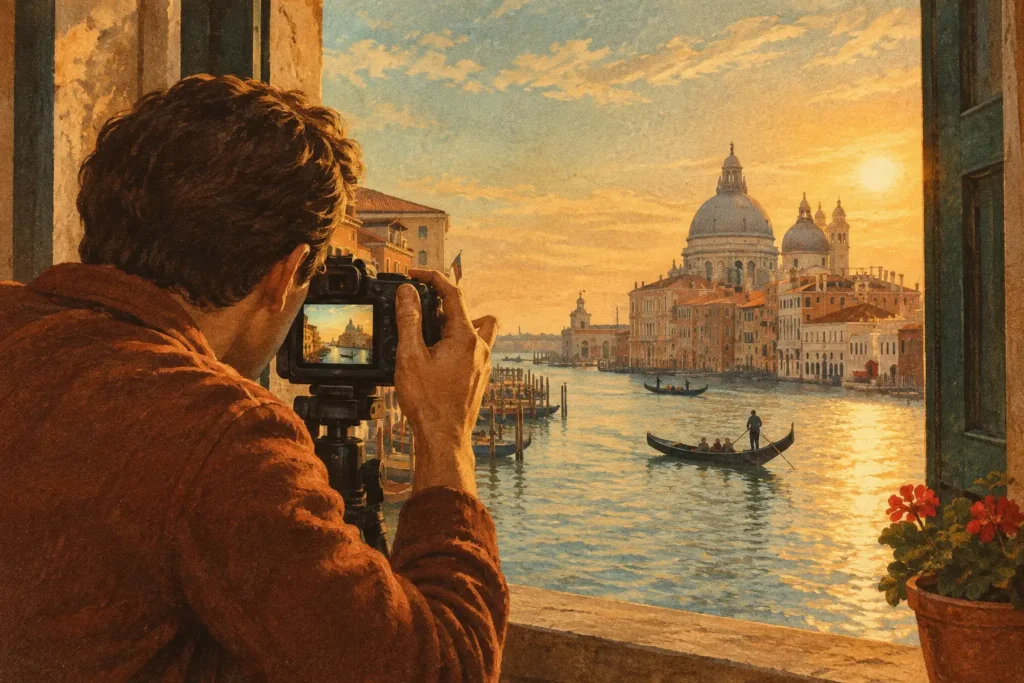
A room can look perfectly exposed to your eyes while the camera records either a white rectangle where the window should be or an interior that is nearly black. Learning how to expose bright windows means working around the camera sensor’s limited dynamic range, then choosing the right capture and processing method for the scene.
This is most common in real-estate interiors, architecture, hotel rooms, homes with large glass walls, and travel scenes shot from inside a shaded space. The goal is not simply to make the sky visible. It is to keep believable highlight detail outside the window while preserving the color, texture, and usable shadow detail inside.
Why bright windows are difficult to photograph
A bright window may be several stops brighter than the room around it. Your eyes adapt as you look from the sofa to the view outdoors. A camera must commit to one exposure unless you give it more than one frame to work with.
Expose for the room and the outdoor view can clip to pure white. Once highlights are clipped, there is no recoverable detail in that area. Expose for the window and the sky may look good, but walls, furniture, and corners can fall into deep noise-heavy shadows.
The exact difference depends on the time of day, the direction of the window, weather, interior lighting, and reflective surfaces. An overcast view behind a north-facing window may fit within a single RAW file. Direct afternoon sun outside a dim room often will not. That is when exposure bracketing and HDR become the practical answer.
How to expose bright windows with a single frame
A single exposure is worth trying when the contrast is moderate, you are photographing a moving scene, or you need a fast handheld result. Shoot RAW whenever possible. RAW files retain more highlight and shadow information than a processed JPEG or HEIC, giving you more room to adjust exposure later.
Start by protecting the brightest meaningful detail. Use spot metering or a small metering area on the bright outdoor view just beyond the glass, then reduce exposure until the histogram is no longer pressed hard against the right edge. On cameras with highlight warnings, check for blinking clipped areas. A few tiny specular reflections are usually fine. A large blinking patch of sky or landscape is not.
Then inspect the room. If opening the shadows in editing produces objectionable noise, color shifts, or muddy texture, the scene has exceeded what one exposure can carry cleanly. Do not keep forcing the file. Bracket the scene instead.
Watch the histogram, not the preview
Camera previews are affected by screen brightness, picture styles, and ambient light. The histogram gives a more reliable indication of whether highlights are clipping. It does not tell you whether the image looks finished, but it tells you whether valuable data is being lost.
For a window scene, a histogram leaning toward the right is normal. Bright pixels are expected. What matters is whether detail-bearing highlights are piled against the far-right edge.
Use exposure compensation with care
If you are shooting aperture priority, dialing in negative exposure compensation can preserve the outdoor view. Try -1 EV first, then -2 EV if the window is still clipping. This is quick, but it also darkens the entire room. It works best when there is enough interior light or when you are comfortable lifting shadows slightly in RAW processing.
Bracket exposures when the room and view exceed your sensor
For most difficult interiors, auto exposure bracketing is more reliable than chasing a perfect compromise exposure. The process is simple: capture multiple frames of the same composition at different brightness levels, then merge the best information from each.
A three-frame bracket at -2 EV, 0 EV, and +2 EV is a strong starting point. The darker frame protects the window and outdoor scene. The middle frame carries midtones. The brighter frame reveals shadow detail in the room.
Use five or seven frames when the contrast is especially severe, such as a dark wood interior facing a sunlit ocean, snow, or city skyline. More frames can improve coverage between deep shadows and bright highlights, but they also increase the chance of movement between captures. No wasted brackets means choosing the smallest bracket set that fully covers the scene.
Keep aperture, white balance, and focus fixed across the sequence. In aperture priority or manual mode, let shutter speed change between frames. Avoid changing aperture, because varying depth of field can complicate the merge. Use a tripod when possible, especially for architecture and real estate, but modern alignment tools can often correct small handheld shifts.
A practical bracketing setup
For a static interior, set a low ISO, choose the aperture needed for the room, and capture a three- or five-frame AEB sequence. A tripod allows longer shutter speeds for the bright shadow frame without raising ISO. If you are handheld, use a faster burst sequence and brace yourself against a wall or door frame.
Check the darkest frame first. The outdoor view should retain texture in clouds, foliage, buildings, or water. Then check the brightest frame. It should reveal the darkest interior areas without requiring extreme noise reduction. If neither condition is met, widen the bracket range or add frames.
Control the scene before you press the shutter
Exposure bracketing solves a dynamic-range problem, but it cannot fix every issue created by the room itself. Small capture decisions reduce cleanup later.
Turn off mixed lighting when practical. A warm table lamp, cool overhead LEDs, and blue daylight from the window can create difficult color transitions. If interior lights are part of the intended look, keep them on consistently for every frame. If they are not adding value, turn them off and use the window light as the dominant source.
Clean the glass and remove obvious distractions near the window. Smudges, blinds, reflections, and bright objects just outside the frame can become more noticeable after HDR tone mapping. For real-estate work, also watch for curtains or blinds moving in a breeze. Movement is not always avoidable, but less movement produces a cleaner merge.
Do not place the window exactly at the edge of the composition unless that framing is intentional. Strong exterior brightness near an edge can confuse automatic metering and make the image feel unbalanced even when the exposure is technically correct.
Merge brackets without making the image look artificial
A good HDR image should look like the room, not like a special effect. The most common mistake is pushing local contrast, shadow recovery, or saturation until halos form around window frames and the outdoor view looks pasted in.
Start with a natural tone-mapping style. Keep the view outside slightly brighter than the darkest interior details if that matches how the room felt. Windows are light sources. Making them as dark as the furniture often creates an unnatural result.
Alignment matters when shooting handheld. Even a slight shift can create doubled edges around window frames, furniture, and architectural lines. Deghosting matters when foliage moves outside, people walk through the room, curtains shift, or water changes between frames. Use only as much deghosting as the scene needs. Stronger settings can suppress movement, but they may also reduce detail in complex areas.
MergeHDR is built for this workflow on Mac, iPhone, and iPad: it detects 3-, 5-, and 7-frame exposure brackets from EXIF data, aligns them automatically, and provides selectable deghosting and natural, vivid, or dramatic tone mapping. There is no manual sorting, and processing stays on your device. Nothing uploads.
After the merge, inspect the transition around the window frame at full resolution. Look for halos, ghosted leaves, doubled mullions, and overly gray highlights. If the result feels flat, try a slightly different tone-mapping look before increasing every adjustment. A restrained edit usually holds up better across screens, print, and client delivery.
When a window pull or supplemental light makes more sense
HDR is not the only method. In commercial interiors, photographers may use flash or continuous lighting to raise the room exposure until it is closer to the view outside. This can produce a very clean single-frame file, but it takes more setup and requires controlling reflections on glass and glossy surfaces.
A window pull is another option, especially when only one window needs replacement from a darker exposure. It can be effective, but manual masking is slower and can look inaccurate if reflections, sheer curtains, or complex window shapes are involved. For rooms with multiple windows and broad contrast across the image, a well-captured HDR bracket is usually faster and more consistent.
A simple field checklist
Before leaving a bright-window scene, confirm that the darkest frame holds outdoor detail, the brightest frame holds usable interior shadows, and your focus and white balance remain consistent. Check for moving curtains, people, foliage, or cars that may need deghosting. Then capture one extra bracket sequence if the light is changing quickly.
The best bright-window photographs are won at capture, not rescued later. Give the scene enough exposure information, protect the view outside, and merge with restraint. The result can keep the room bright, the window believable, and your final image ready for your library in seconds.
Let MergeHDR find your brackets.
MergeHDR detects exposure brackets in your photo library and merges them into HDR photos on-device — keeping every edit, album, favorite, and location. No account; free to try, with unlimited saves for $19.99 once or $9.99/year on iPhone, iPad, and Mac.