How to Preserve Window Details in HDR Photos
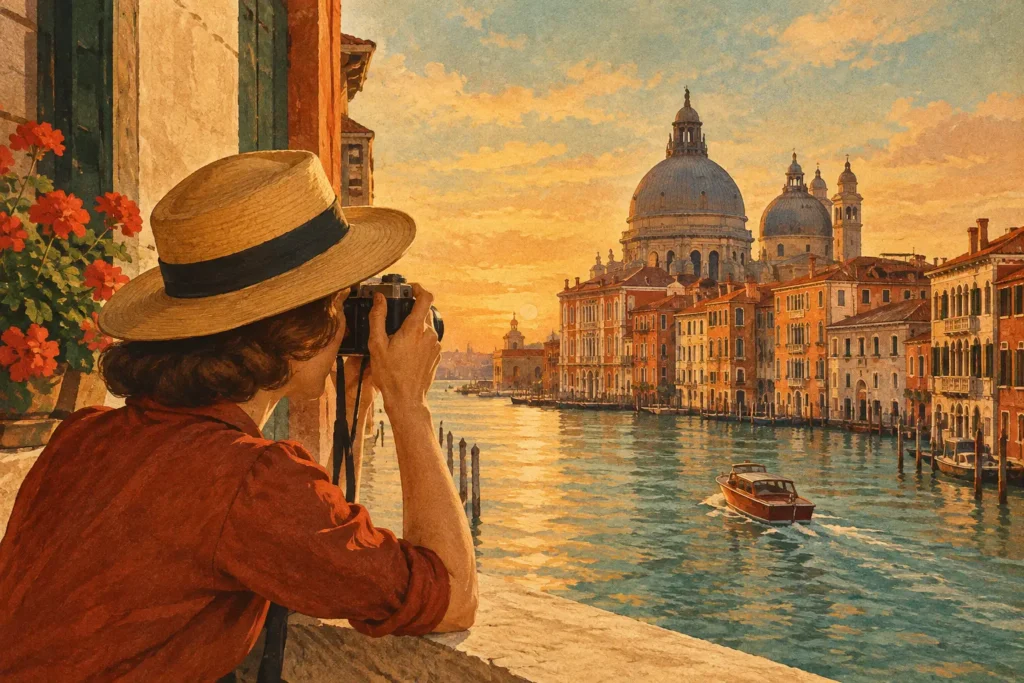
A bright window is one of the fastest ways to expose the limits of a single photograph. Meter for the room and the view turns white. Meter for the view and the room drops into shadow. Knowing how to preserve window details starts before editing: capture enough exposure information, then merge it without creating halos, ghosting, or an artificial-looking interior.
For real-estate, architecture, travel, and home photography, the goal is not to make every pixel equally bright. It is to retain believable detail in the view outside the glass while keeping the room clean, readable, and naturally lit.
Why window detail disappears
A camera sensor can record a wide range of tones, but a window scene often exceeds it. Direct daylight outdoors can be many stops brighter than an interior wall, a shaded floor, or a dark piece of furniture. In a single exposure, you must choose which part of that range receives priority.
Underexpose to save the sky and exterior detail, and indoor shadows can become noisy when lifted. Expose for the room, and the bright areas around the window may clip to pure white. Once highlights are clipped, there is no texture to recover. Editing can darken the white area, but it cannot recreate trees, clouds, buildings, or window frames that the sensor never captured.
HDR solves this capture problem by combining a bracketed set. One darker frame protects highlight information beyond the glass. A middle frame carries balanced midtones. Brighter frames preserve shadow detail in the room. The quality of the final image depends on the bracket, the merge, and the choices you make afterward.
How to preserve window details at capture
Start with auto exposure bracketing whenever you expect a bright exterior and darker interior in the same composition. A three-frame bracket is often enough for a room with moderate contrast. For a sunlit view, a deep interior, or a scene with dark cabinetry and bright clouds, use five or seven frames if your camera supports it.
The key is coverage. Review the darkest frame, not just the normally exposed image. You should be able to see meaningful detail outside the window. If the sky, landscape, or surrounding buildings are still solid white in that dark frame, extend the bracket or reduce the base exposure.
For interiors, a sturdy tripod remains the best option. It keeps furniture edges, window frames, and exterior details in the same position across every exposure. Handheld brackets can still work when alignment is available, especially with fast shutter speeds, but stable capture gives the merge less correction to perform.
Keep the aperture constant when shooting with a dedicated camera. Changing aperture changes depth of field and can introduce small visual shifts between frames. Bracket shutter speed instead. On an iPhone, use the exposure-bracketing method available in your camera workflow and avoid moving between frames.
Clean glass matters more than many photographers expect. Smudges, dust, rain spots, and reflections become more visible when shadow and highlight information are pulled together. If the property or location allows it, turn off interior lights that create strong reflected hotspots in the glass. This is not always practical, especially in occupied homes, but reducing reflections at capture is better than trying to remove them later.
Treat the window as a transition, not a cutout
A common HDR mistake is forcing the exterior to match the interior brightness. The result can look flat: a room that seems lit by no identifiable source and a sky that looks gray even on a bright day.
Let the window remain brighter than the room. The objective is detail, not equal luminance. A realistic merge typically has a gentle brightness transition from the window opening to nearby walls and furnishings. Window trim should retain clean edges, but it should not be outlined with a dark halo.
Watch for halos after tone mapping. They often appear as bright or dark bands around the frame, blinds, trees, rooflines, or distant buildings. Halos are usually a sign that local contrast, clarity, or highlight recovery has been pushed too far. Back off the aggressive setting before trying to mask the symptom with additional edits.
Choose a tone-mapping look that fits the scene
Natural tone mapping is usually the right starting point for real estate and architecture. It protects highlight detail while maintaining believable interior contrast and color. It also leaves room for modest finishing adjustments without creating an overprocessed file.
Vivid tone mapping can work for travel images, sunsets, and scenes where stronger color and local contrast support the subject. Dramatic processing can be useful when the image is intentionally stylized, but it demands restraint around windows. Strong settings can make glass edges and exterior foliage look crunchy, particularly when sunlight is hard and direct.
Use the look that serves the image, not the one that reveals the most hidden shadow detail. A little shadow depth can give an interior shape and credibility.
Alignment and deghosting protect clean edges
Even careful bracketed sequences are rarely perfectly identical. Handheld capture shifts slightly. A curtain moves, leaves sway outside, people walk through a room, and vehicles pass through the view. Without alignment, these changes can create doubled edges around window frames, trim, and exterior objects.
Automatic frame alignment corrects for small camera movements before the exposures are combined. It is particularly useful for handheld interior work or travel photography when a tripod is not realistic. Alignment cannot fully solve large composition changes, so keep the camera as still as possible while the bracket is captured.
Deghosting addresses subject motion. Choose a lighter setting when the scene is largely still and you want to preserve fine texture. Use stronger deghosting for moving foliage, waves, curtains, pedestrians, or traffic visible through a window. The trade-off is simple: more deghosting can reduce distracting duplicates, but overly aggressive correction may simplify subtle motion or texture.
If a window view contains both moving trees and stationary architecture, inspect it at full size after merging. Look closely at branch edges, blind slats, mullions, and high-contrast rooflines. These areas reveal ghosting before it becomes obvious in the entire image.
A faster HDR workflow for window scenes
The friction in HDR editing often begins before the merge. Bracketed exposures may sit beside similar-looking images in a large photo library, and finding each related set by hand can become the slowest part of the job.
A practical workflow is Detect, Merge, Export. First, identify true three-, five-, or seven-frame bracket sets from their capture metadata. Then merge the frames with alignment and the appropriate deghosting level. Finally, choose a natural, vivid, or dramatic tone-mapping result and export at the resolution you need.
MergeHDR follows this workflow on Mac, iPhone, and iPad by identifying AEB sets through EXIF data, so there is no manual sorting and no wasted brackets. Frames are aligned and merged locally on your device, with selectable deghosting and tone mapping before full-resolution or HEIC export. Nothing uploads, and your photos do not need to leave your library to produce the final HDR image.
That local approach is especially useful for client interiors, private homes, and travel images you do not want routed through a remote processing service. It also makes testing two tone-mapping looks faster: merge, compare the window transition and interior shadows, then keep the version that looks credible.
Final adjustments after the merge
Once the HDR file is merged, make small corrections rather than rebuilding the image. Check white balance first. A cool outdoor view combined with warm indoor lighting can create an unpleasant color split at the window. Sometimes that contrast is real and attractive; other times, slightly neutralizing either the room or exterior produces a more cohesive image.
Then inspect highlights. If the view is present but feels dull, reduce highlights only enough to reveal the captured information. Avoid dragging down the whole window until it looks like an underexposed print pasted into the wall. Raise shadows carefully as well. Lifting every corner of the room can remove the depth that makes a space feel dimensional.
Crop and straighten last. A tilted window frame is more distracting once the viewer can clearly see the exterior through it. For architectural work, correct vertical lines with care, because excessive perspective correction can stretch window frames and make the exterior view feel unnatural.
The best window HDR photographs still look like light is entering a real space. Give the bright view outside enough detail to reward a closer look, preserve the shadows that define the room, and let the transition between them feel like the scene you actually saw.
Let MergeHDR find your brackets.
MergeHDR detects exposure brackets in your photo library and merges them into HDR photos on-device — keeping every edit, album, favorite, and location. No account; free to try, with unlimited saves for $19.99 once or $9.99/year on iPhone, iPad, and Mac.